

If your TV’s built-in apps are slow, missing services, or just clunky to use, a dedicated streaming device is one of the best cheap upgrades you can buy. But the three big players — Amazon’s Fire TV Stick, Roku, and Google’s Chromecast — take very different approaches. Here’s an honest comparison to help you pick the right one in 2026.
What Each Device Does Differently
All three let you watch Netflix, YouTube, Disney+, Prime Video, and hundreds of other apps on any TV with an HDMI port. The difference is in the ecosystem, the interface, and how they handle search and smart-home control.
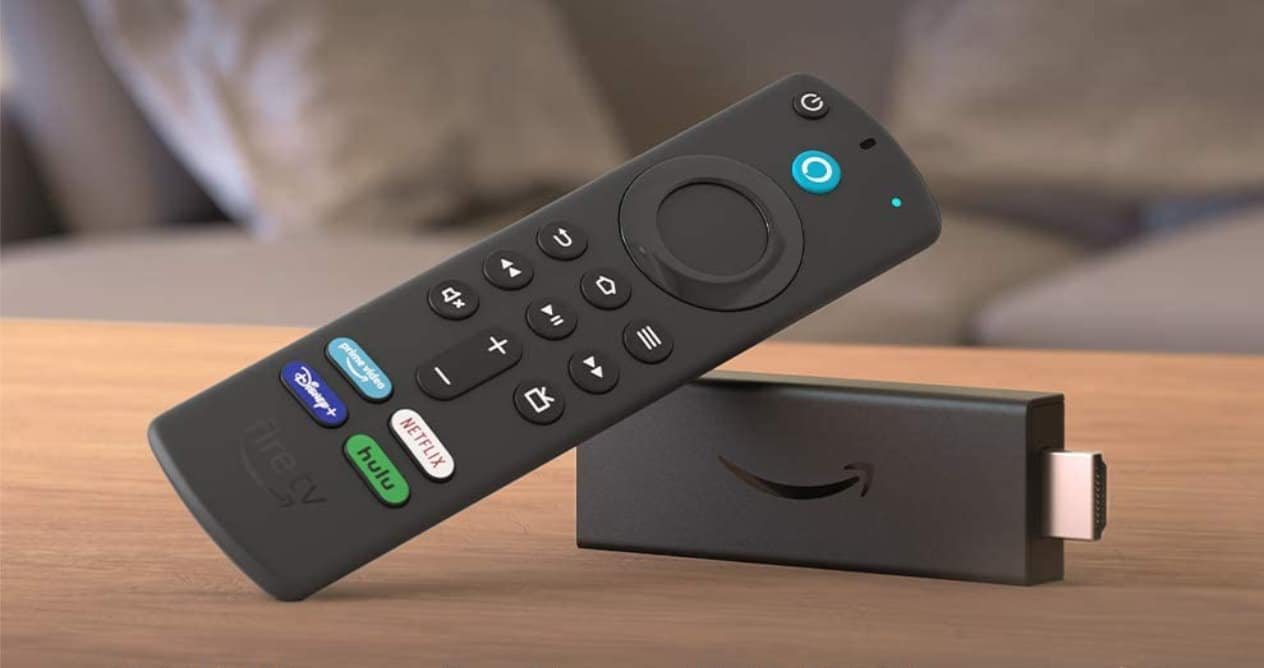
Amazon Fire TV Stick: Best for Prime Members and Alexa Homes
The Fire TV Stick (including the Fire TV Stick 4K models) is the best choice if you live in Amazon’s world. Prime Video is front and center, Alexa voice control is built into the remote, and it integrates smoothly with Echo speakers and Ring cameras.
Strengths: Excellent value (often on sale for well under the list price), the fastest interface of the three in recent models, great Alexa integration, and solid gaming and sideloading options for advanced users.
Weaknesses: The home screen pushes Amazon content and ads fairly aggressively. If you don’t use Prime Video or Alexa, some of its best features go to waste.
Best for: Prime members, Alexa smart-home users, and bargain hunters.
Roku Streaming Stick: Best for Simplicity
Roku’s players — from the basic Express to the Streaming Stick 4K — have the most neutral, easy-to-use interface of the bunch. There is no tech-giant ecosystem being pushed at you: the home screen is just a clean grid of your apps, and the remote has the fewest buttons.
Strengths: The simplest interface to learn (ideal for less tech-savvy family members), the most neutral app selection with no ecosystem favoritism, and a free ad-supported Roku Channel with plenty of movies and shows.
Weaknesses: Voice search lags behind Alexa and Google Assistant, smart-home integration is thinner, and Roku’s own ads and content promotions have grown more noticeable in recent years.
Best for: Anyone who wants the simplest remote and the most neutral streaming experience.
Google TV Streamer / Chromecast: Best for Android and Google Homes
Google’s streaming lineup (the Google TV Streamer and Chromecast devices) is the pick for Android phone users and Google smart-home owners. The Google TV interface aggregates content across all your services into one personalized home screen, and casting from a phone or Chrome browser is effortless.
Strengths: Excellent content recommendations that pull from all your apps, seamless casting from Android and Chrome, strong Google Assistant integration, and good smart-home control from the TV.
Weaknesses: The interface can feel busy, personalized ads are part of the deal, and it’s less ideal if your household runs on iPhones and Alexa instead of Google services.
Best for: Android users, Google Home households, and anyone who casts from their phone often.
4K, Dolby Vision, and Performance
If you have a 4K TV, buy a 4K model — the price difference over HD sticks is small and worth it. All three platforms offer Dolby Vision and Dolby Atmos support on their top models, so pick the 4K version of whichever ecosystem you prefer. Wi-Fi performance also matters: if your router is far from the TV, consider a model with an Ethernet adapter option or Wi-Fi 6 support.
Which One Should You Buy?
Here’s the quick decision guide:
- Choose Fire TV Stick 4K if you use Amazon Prime, Alexa, or Ring.
- Choose Roku Streaming Stick 4K if you want the simplest interface and don’t care about voice assistants.
- Choose Google TV Streamer if you use an Android phone, Google Photos, or Google Home devices.
Honestly, you can’t go far wrong with any of them — all three are fast, affordable, and support every major streaming service. The “best” one is simply the one that matches the ecosystem you already live in.
Conclusion
Streaming devices are one of the best value upgrades in tech: for the price of a couple of months of streaming subscriptions, you get a faster, smarter TV that will last for years. Match the device to your ecosystem — Amazon, neutral, or Google — and you’ll be happy with your pick.