

Kids are online earlier than ever — on tablets, phones, gaming consoles, and school laptops. The internet is an amazing resource for learning and fun, but it also exposes children to cyberbullying, scams, inappropriate content, and strangers with bad intentions. As a parent, you can’t watch over their shoulder 24/7, but you can build a safety net of tools, rules, and conversations.
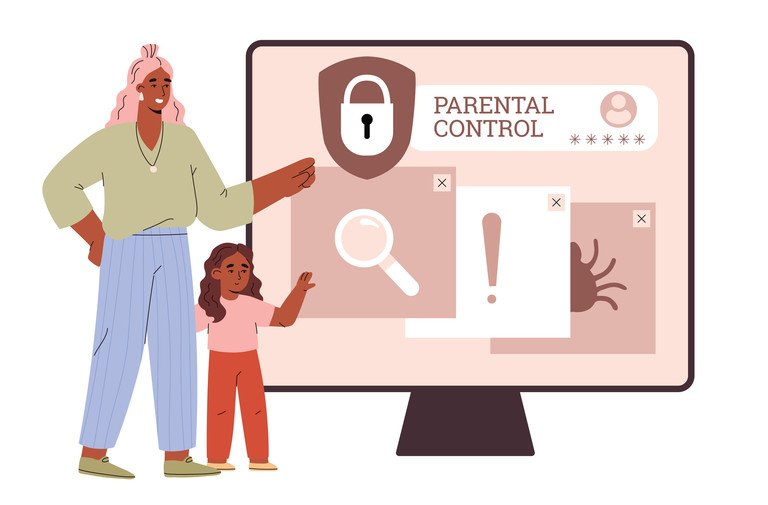
This guide walks you through practical steps to keep your kids safe online in 2026.
1. Start with an Honest Conversation
Technology alone won’t protect your child — trust will. Sit down and talk about what they do online: their favorite games, apps, and YouTube channels. Ask who they chat with and whether anything online has ever made them uncomfortable.
Make it clear that they won’t get in trouble for telling you about something strange or scary they encounter. Kids who fear punishment simply stop reporting problems. Regular, casual check-ins work far better than one big “internet safety talk.”
2. Set Up Parental Controls on Every Device
Every major platform now ships with built-in parental controls — use them before handing a device to your child.
iPhone and iPad: Go to Settings > Screen Time > Content & Privacy Restrictions. You can block app downloads, restrict web content, limit screen time, and require approval for purchases.
Android: Use Google Family Link to manage apps, set screen-time limits, filter content in the Play Store, and track your child’s location.
Windows and Mac: Microsoft Family Safety and macOS Screen Time both offer app limits, web filtering, and activity reports.
Gaming consoles: PlayStation, Xbox, and Nintendo Switch all have parental control apps that manage playtime, spending, and who your child can communicate with.
3. Use a Family DNS Filter
A DNS filter blocks harmful websites across your entire home network — every phone, tablet, and laptop on your Wi-Fi. Services like Cloudflare for Families and CleanBrowsing offer free plans that block adult content and known malware sites automatically.
Setting it up takes five minutes in your router’s settings, and it protects devices even when kids use browsers you haven’t configured. It won’t catch everything, but it’s a strong first line of defense.
4. Teach Them to Recognize Online Dangers
Kids need to know what to watch for. Teach these rules early and repeat them often:
Never share personal information. Full name, school, address, phone number, and photos stay private — even with online “friends.”
Beware of strangers. Anyone they meet only through a game or social app is a stranger, no matter how friendly they seem. Predators often pose as kids to build trust.
Don’t click suspicious links. Phishing scams target kids too — free game currency, fake giveaways, and “click here to win” links can install malware or steal accounts.
Screenshots last forever. Anything posted or sent can be screenshotted and shared. Encourage them to think before posting photos or messages.
5. Manage Social Media and Messaging Apps
Most social platforms require users to be at least 13, but younger kids often find their way on. Check age requirements and enforce them. For teens who are allowed on social media:
- Set profiles to private so only approved followers can see posts.
- Turn off location sharing in apps like Snapchat.
- Review the friend and follower lists together periodically.
- Disable direct messages from strangers where the app allows it.
- Never respond to bullying messages — responding usually escalates it.
- Block and report the bully on the platform.
- Save evidence — screenshots help schools and platforms take action.
- Tell a trusted adult immediately.
- Use a passphrase (three or four random words) instead of simple passwords.
- Enable two-factor authentication on important accounts like email and gaming profiles.
- Never reuse the same password across sites — a password manager makes this easy.
- Never enter login details on links received in messages; always go to the official site or app.
For younger kids, consider kid-safe messaging apps like Messenger Kids, which let parents approve every contact.
6. Protect Against Cyberbullying
Cyberbullying is one of the most common online harms kids face. Teach your child to:
If your child is being bullied, report it to the school and the platform. In serious cases involving threats, contact local authorities.
7. Secure Their Accounts
Kids’ accounts get hacked constantly, usually through weak passwords or phishing. Help them:
8. Model Good Digital Habits Yourself
Kids copy what they see. If you’re glued to your phone at dinner, overshare on social media, or click suspicious links, your rules will ring hollow. Show them healthy screen habits, respect privacy, and demonstrate how to verify information before sharing it.
Conclusion
Keeping your kids safe online in 2026 isn’t about banning the internet — it’s about layers. Open conversations build trust, parental controls and DNS filters provide guardrails, and teaching kids to recognize dangers gives them skills they’ll use for life.
Start with one step today: set up the parental controls on your child’s main device, then have that conversation. The safest kids online aren’t the most restricted ones — they’re the ones who know what to watch for and feel comfortable asking for help.